This work was produced with support from COSEE-Florida under National Science Foundation grant OCE 1038990 of the Division of Ocean Sciences. This work was also supported by the Hatch projects, FLA-AEC-005367 and FLA-AEC-005868, from the U.S. Department of Agriculture’s National Institute of Food and Agriculture.
Who Is This Guide For?
This guide is intended to help any interested person host a similar version of this program in their area. Primarily, Extension faculty and program developers such as informal science learning setting facilitators may find this guide to be of interest.
What Is “talk science with me”?
We designed the public engagement program “talk science with me” to bring university and industry researchers into their communities to have casual conversations about science and engineering. We piloted the program in Alachua County, Florida, in 2015–2016, supported by grant funds from COSEE-Florida under a National Science Foundation grant from the Division of Ocean Sciences. Inspiration for the program came from similar programs at the Ontario Science Center, the Franklin Institute, and the Reuben H. Fleet Center. We thank our sponsors for the funding support and our science center colleagues for the ideas.
The “talk science with me” program creates an opportunity for scientists, engineers, and community members to get to know each other as real people. Instead of asking residents in our county to come to the university, we go to natural gathering spaces, especially outlying areas. Instead of research lectures or formal programs, we talk about whatever we and our community members are mutually interested in.
In Alachua County, the program ran five times, approximately every three months, starting in July 2015. In the beginning, we hosted pairs of researchers at five locations in Gainesville, which is the population center of the county and the location of UF’s main campus. The five venues included one bar, one coffeehouse, one coffeehouse/bar combination, one public library, and one laundromat. In September, we expanded to include a venue in each of five smaller communities at the edges of the county: High Springs to the north, Melrose to the east, Hawthorne to the southeast, Micanopy to the south, and Archer to the west. Events occurred over three days, with some communities hosting weeknight events and some hosting Sunday afternoon events.
We deliberately chose the name “talk science with me” for several reasons. First, talking is what we do. Science may seem to exclude engineers, agricultural researchers, and perhaps other types of researchers, but we felt community members would not make this distinction. Indeed, we recruited researchers from all disciplines of the colleges of Agriculture, Engineering, and Liberal Arts and Sciences at the university over the course of the pilot project.
How to Use This Guide
This guide is intended to assist any outreach or engagement professional in setting up and running similar programs in their area. It is particularly geared toward Extension professionals and uses references from the University of Florida Institute of Food and Agricultural Sciences (UF/IFAS).
This guide covers how to set up your event for the first time, including how to identify venues, advertise through social media, run the event in subsequent iterations, and evaluate and improve your events. The guide is divided into several sections and arranged in chronological order of when to start organizing particular aspects, though some organizing may run in parallel. You may choose to read through the guide in its entirety or simply skip from section to section for parts of interest.
Preparing for Your Event
Setting up your event for the first time should take the most work, as you will locate venues to work with, build a list of researchers to recruit, and design promotional materials and social media campaigns from scratch. Hosting the event in subsequent rounds should require less time, mainly spent confirming venues and researcher participants and promoting the event through the media.
There are several tasks involved when preparing for the first event:
- Identifying venues
- Identifying social media and advertising or communication contacts at your organization and planning social media and other advertising campaigns
- Designing and distributing physical and online advertising materials
- Setting dates and times for the event
- Developing orientation for the researchers
- Developing evaluation materials
We suggest identifying venues first, then setting up social media and advertising in parallel with setting event dates and times, and finally, developing the orientation simultaneously with evaluation materials, once advertising has begun.
Identify Venues
Identifying venues first allows you to advertise the dates and locations of the event to potential researcher participants and community patrons who may attend. We advise beginning this process several months before your first event to allow time to scout each location and talk with its management. Once you have a list of venues, you can decide on dates and times for each venue.
In looking for appropriate venues, we considered locations where people gather and have time to socialize. Many of the original events from which we took inspiration primarily used bars. We chose coffeehouses, libraries, and laundromats, as well, to attract more diverse audiences and to offer venues where attending does not have an expectation of making a purchase as part of an assumed social contract.
Venue, Timing, and Setup Characteristics
- The venue should be a comfortable, welcoming area where there is light-to-consistent traffic of people who would be interested in talking. Too many people in one place make it difficult to have in-depth conversations, so bars on nights showing a Gator football game or other major sporting events are probably going to be too crowded.
- At the venue, seating for both researchers and patrons promotes longer conversations. Ideally, at each venue, the researchers would be stationed where patrons naturally flow through the venue and likely see the researchers and the poster advertising the event, thus welcoming them to participate.
- Choose a variety of locations and times to attract a wider variety of participants. For example, urban-centered, especially walkable or public-transit accessible, and rural locations alike reduce physical barriers of access for different people. Offering both evening and weekend daytime events can attract people with non-traditional working schedules.
- Snacks and drinks for researchers and patrons are not required at all venues. One reason to choose venues that are free and open to the public is to make these events truly accessible, without even a social contract obligating small purchases at a coffee shop or bar. Public library branches are good options. Laundromats, where people are paying for their laundry but not expected to purchase a luxury item, are also advisable. Venues without alcohol allow people who may not be comfortable in those settings, or people with families, to participate.
- We encourage the selection of locally owned establishments whenever possible to support local reinvestment in the economy.
- Wherever possible, choose locations that are accessible for all audiences, including those with physical accessibility needs. Advertise accessibility or lack thereof up front in your flyers and online postings. See additional EDIS publications for more details on creating accessible events via the Ask IFAS Accessibility topic page.
- Consult with appropriate entities for risk management and any contracts that may need to be signed, especially for a rental agreement or food provided. Such entities may include legal departments of your university or employer and any other responsible entity to which you report. We did not sign any contracts with venues in the instances of Alachua County as we did not rent the space nor provide food.
- The University of Florida does not have specific risk management policies for off-campus events, but we have included an appendix of some other considerations related to risk management.
Set Up Social Media and Electronic Communications
Social media is an inexpensive tool for advertising, but it requires building an audience and maintaining regular communication. We suggest using a dedicated email account, some social media accounts depending on your community and priority populations, and a project website, if desired. A number of researchers at the time promoted their work on X™ (formerly Twitter), while Facebook™ has a broad audience and tools, such as event listings, that are helpful in this context. Having consistent usernames for email, social media, and the website will help audience members recognize the event, but it requires more management to create consistent content. If possible, integrate with your overall organization’s social media and website to increase visibility.
Check with UF or organizational guidelines for official social media to decide whether you can maintain the standards for your own account, or whether you might want to consider using an existing account. (You may refer to UF/IFAS Social Media Services for guidance.)
Email Account
Set up/designate an email account for contacting the project. This can be used for logging into social media, if desired. Multiple people can then access the account, if necessary, subject to the terms and conditions of the provider. For example, with Gmail™, you can
- set up notifications about specific people or scientific topics.
- easily share and edit documents via Google Drive™.
Set up an email Listserv for participants who wish to be notified by email about events. At UF, see the university’s LISTSERV for setup and instructions. See Appendix for further information.
Social Media Accounts
Set up or designate appropriate social media pages for the project. For some platforms, these accounts must be linked to a user’s personal account, but the project account may come with a unique URL. Note that a platform’s features for social media pages and tools may change regularly.
- Facebook™ is still generally considered the most widely used social media platform. Consider others such as X™, Snapchat™, and Instagram™ based on your desired demographic. For more ideas, see the EDIS series, Using Social Media to Engage Communities for Research.
- For our project, we have https://www.facebook.com/talksciencewithme, linked to the faculty member's or staff organizer's personal account. The page can have multiple administrators who create its events and posts; several students have served in this capacity over the duration of the project. The ultimate ownership of the page (the personal account to which the page is linked) can also be transferred to someone else in the future.
- To get an initial following, send invitations (via a button on the page once you have created it) so your personal Facebook™ friends can “like” the page.
- Make a few initial posts about who/what "talk science with me” is to build a rapport and encourage your friends to pass it on.
- Once you have invited your friends, post photos (e.g., science jokes and memes) on the event page, as well as your personal page, to attract the eye of your followers.
Set up/designate an X™ account. X™ usernames or “handles” are often short because they take up space in X’s 280-character limit for posts. We use @talksciwme for this project.
- To build an initial following on X™, you can start by following other groups, such as @talksciwme, UF/IFAS Extension, 4-H groups, and so forth. Following relevant groups will encourage them to share your new page.
- Alternate informational posts with more fun and casual ones to attract followers while remaining professional.
Designate a hashtag, which is a marker for people to “tag” their posts on social media and functions similar to a keyword. Hashtags are searchable, which is helpful for tracking the success of your event. We use #talkscience.
- Always use hashtags, but sparingly. Use #talkscience (or your own and your organization’s hashtags) to allow it to “trend” and pop up for viewers of all your friends. Once others start to use or discover it, you will gain a following.
Project Website
Wordpress.com offers a free site-building platform that can include a blog if you so choose. Our site is https://talksciwme.wordpress.com.
Design Advertising Materials
Design a logo for your event. If you have access to professional graphic design staff, use them for both logos and other advertising materials. If not, we suggest a simple yet evocative image without much detail, so it can be used as your user icon on your social media accounts as well as on flyers and posters. A simple tool for creating is Canva™.
Per requests from the community, put accessibility information (or lack thereof) upfront on your advertising. For more information, see “Event Organizers: Give Access Information Upfront. Please?” a blog by PhDisabled, and see EDIS documents on accessible events via the Ask IFAS Accessibility topic page. This is not something we have done yet on the flyers shown as examples in this publication.
We created four versions of flyers and posters for the event:
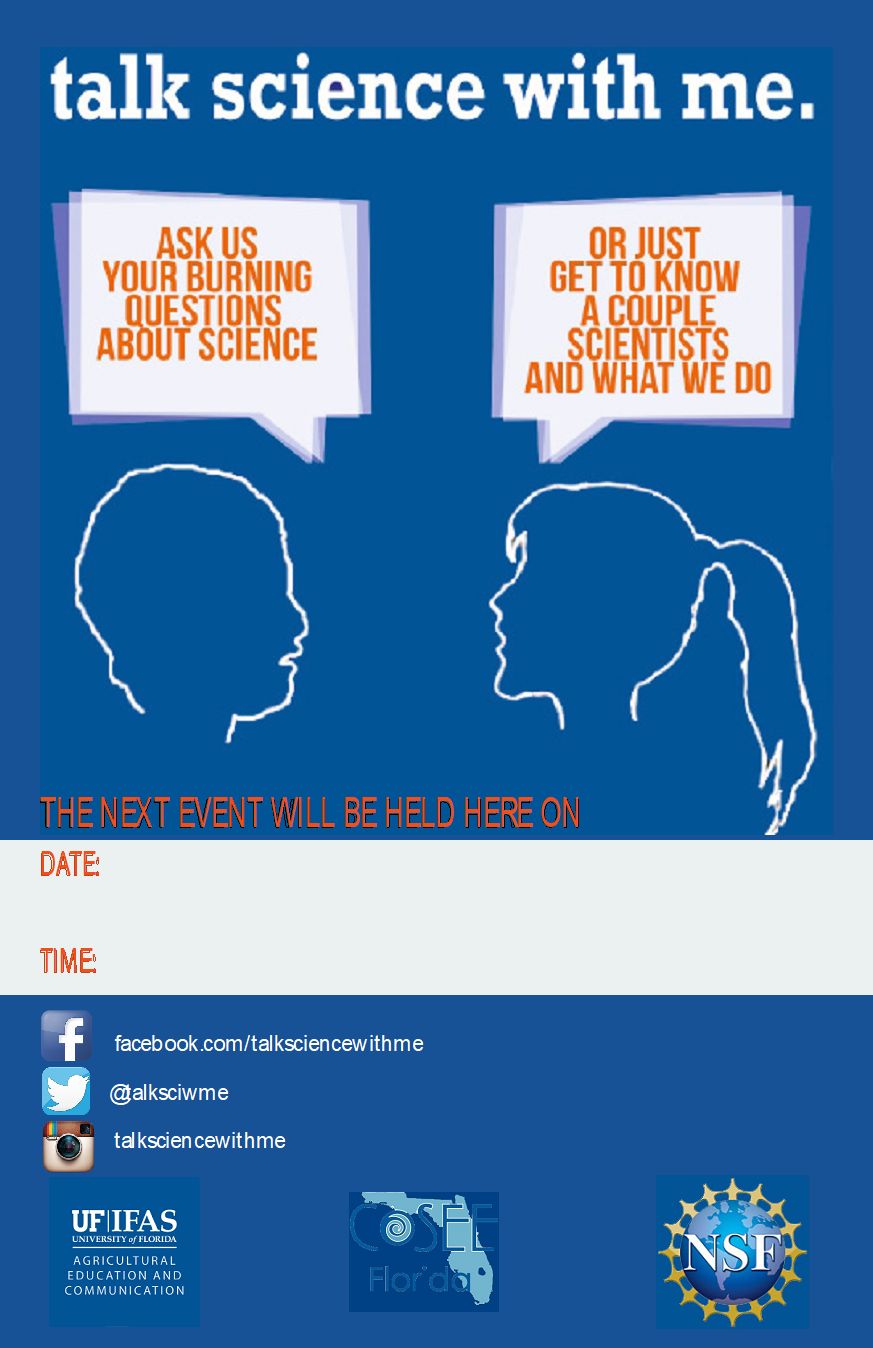
- Pre-event 11" x 14" laminated color poster (Figure 1)
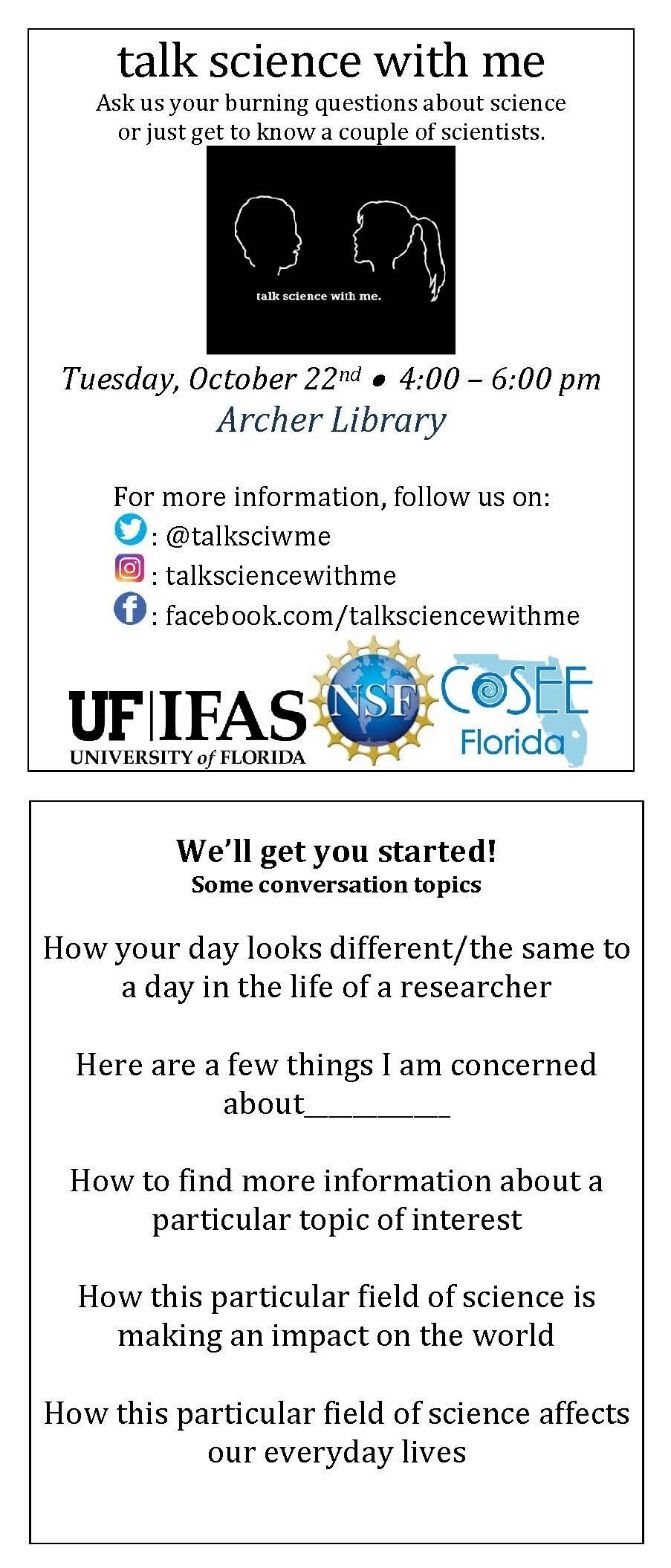
- Pre-event, quarter-sheet flyer, printed in color or black-and-white (Figure 2)
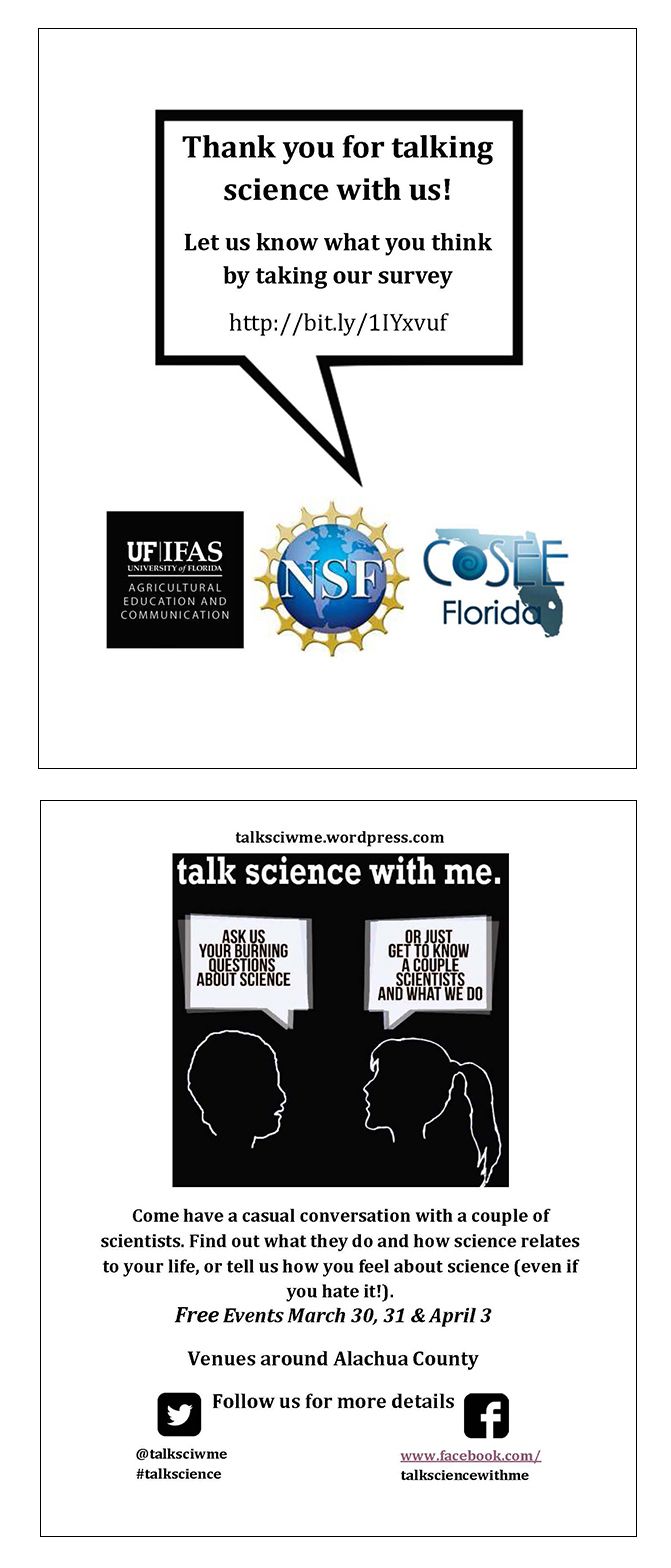
- At-event, quarter-sheet flyer, printed in color or black-and-white (Figure 3)
- At-event 24" x 36" foam core color poster (Figure 5)
Print the pre-event 11" x 14" laminated color poster for venues to post in their windows or on their bulletin boards. Lamination allows venues to keep the poster, remove date and time information, and update new event information with a marker each time. Print one or two per venue to be reused for each event.
Credit: UF/IFAS
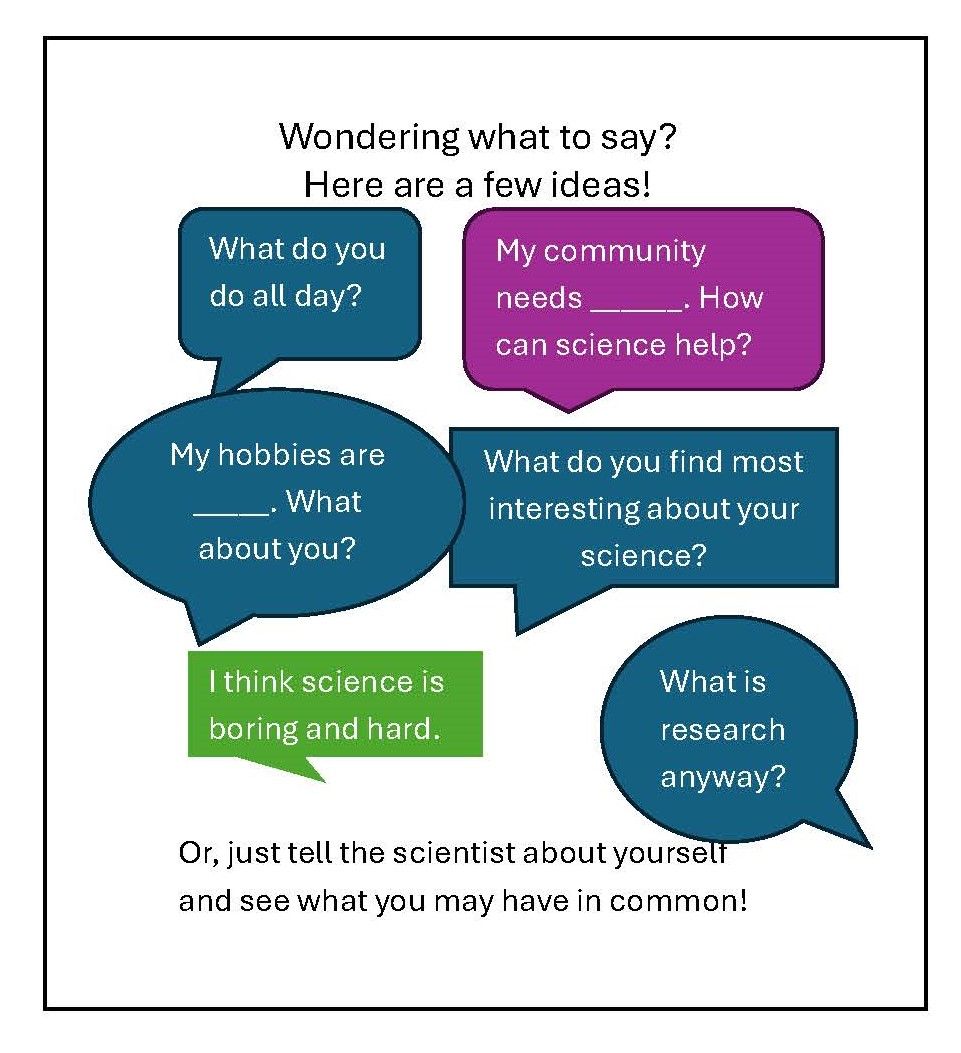
The pre-event, quarter-sheet, two-sided flyer (Figure 2) advertises the events at each venue with date and time on the front and suggested questions or prompts for people on the back. These are handed out at the venues approximately one month before the events. They should be updated for each venue and event, printed in black-and-white, and then cut into quarters. Approximately 10 sheets (40 total flyers) should be printed for each venue for each event.
Credit: UF/IFAS
The quarter-sheet, two-sided flyer handed out at each event (Figure 3) advertises the next events and provides a URL link to the event evaluation survey. Approximately 30 sheets (120 total flyers) should be printed for each event (not venue-specific).
Credit: UF/IFAS
Credit: UF/IFAS
Make a 24" x 36" poster on foam core to sit at the venues with the researchers, propped on a tabletop easel or leaned against a wall from the table, to invite people to talk with the researchers. Print one per venue to be reused for each event. We suggest putting your contact information on the back and leaving the poster at venues you will return to for simplicity. You could also number the posters to keep track of their locations if you and the researchers distribute them among the venues each time.
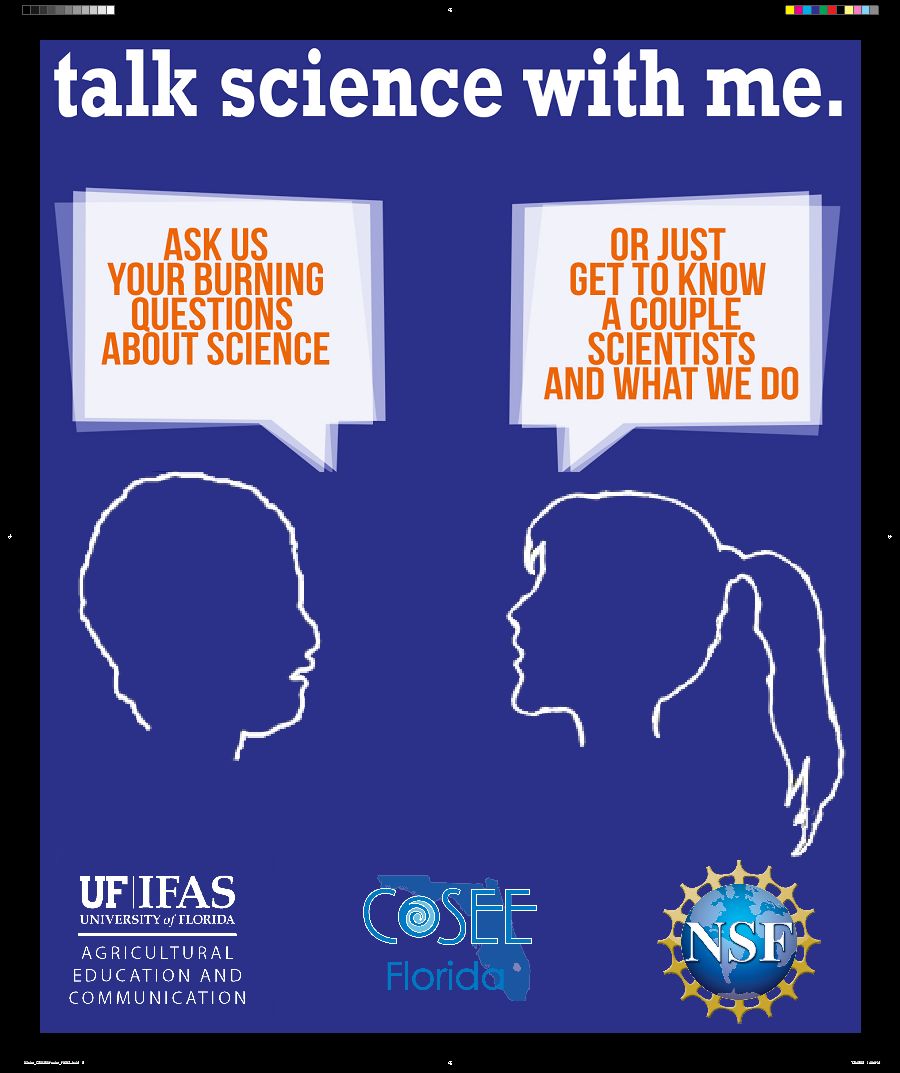
Credit: UF/IFAS
Develop Orientation for Researchers
Your researchers may vary from people with lots of experience working with public audiences to participants who have never done any previous public engagement. You will want your orientation to be flexible and interactive, be able to accommodate each researcher, as well as be interesting and not just a lecture. Components of our orientation include the following:
- An introduction to you, your role in the project, and the participants—if it is in person, you can also distribute posters and easels at this time.
- An overview of the event, including history and rationale for public engagement, particularly this type of engagement—I have presented this as a brief narrative.
- An overview of outreach and engagement principles—this is an opportunity for a discussion with the researcher participants who have done outreach before and with those who may have heard some of these ideas but have not been able to practice them yet.
- Details of the venues and times, what to wear, what to bring, and who will be going with them, as well as answers to other detailed questions participants may have.
See https://doi.org/10.17605/OSF.IO/TZGB6 for example orientation materials.
Develop Evaluation for the Event
Evaluation of the event both with the patron participants and the researcher participants is crucial. Designing your evaluation should be an integral part of your planning and should match the logic model or theory of change that you use to build your program. For Extension, we have definite metrics by which we measure success of our events. For example, we collect the number of participants and their county of residence, along with demographic information such as gender, age, and race/ethnicity if available. For “talk science,” we typically ask for this information on a sign-in sheet at each location each time we hold the event, which also allows people to add contact information to be notified about upcoming events.
Longer-term follow-ups are also important. We have created a patron participant survey that asks about their levels of interest and trust in science, as improving those are goals of these short interactions for us. You may include questions of intent to change behavior or other measures depending on your goals and the timing of your evaluation. We have generally provided a link to the surveys on the flyers we hand out at the events. As you build an email list of patron participants, you can send surveys via that list.
Similarly, you should evaluate the experiences of the research content expert participants to determine their levels of satisfaction with the event and the orientation, as this is a professional development opportunity for them.
See these additional resources on program planning and evaluation for Extension:
- Diehl, D. C., & Galindo-Gonzalez, S. (2014). Planning or refining an Extension program. University of Florida IFAS Extension EDIS. Archived on April 20, 2016, https://web.archive.org/web/20160420043104/http://edis.ifas.ufl.edu/fy1229
- Stofer, K. A., Warner, L. A., & Arthurs, S. (2017). Emphasizing the science, technology, engineering, and math (STEM) in agricultural Extension: AEC522/WC184, rev. 10/2017. EDIS, 2017(5). https://doi.org/10.32473/edis-wc184-2014
- Warner, L. A., Galindo-Gonzalez, S., & Gutter, M. (2021). Building impactful Extension programs by understanding how people change: AEC527/WC189, rev. 9/2021. EDIS, 2021(5). https://doi.org/10.32473/edis-wc189-2014
- Warner, L., & Stofer, K. (2014). Extension professionals: Anticipating and solving common problems in delivering educational programs: AEC513/WC178, 9/2014. EDIS, 2014(8). https://doi.org/10.32473/edis-wc178-2014
Develop Event Planning Timeline
To accomplish tasks for each event in a timely fashion, consider working out a timeline for the basic tasks that need to be completed for each event. See descriptions of the tasks in the next section, Hosting Your Event. Our timeline, for example, is
- Eight Weeks Before Event: Confirm venues, dates, and times; update event flyers for each venue and distribute to venues; create events on social media including accessibility info; begin social media advertising (schedule as many posts as possible); and post event dates on local event calendars including accessibility information.
- Seven Weeks Before Event: Set up recruitment survey and recruit researcher participants.
- Six Weeks Before Event: Continue recruitment of researchers, if necessary.
- Five Weeks Before Event: Conduct final researcher recruitment and begin creating social media posts with researcher biographies; space out the publishing of these drafts, gradually posting up until the week of the event.
- Four Weeks Before Event: Prepare handouts/materials for each venue for researcher participants (poster, easel, sign-in sheets, etc.).
- Three Weeks Before Event: Confirm venue/date/location for the event with all participants and for orientation with new participants.
- Two Weeks/One Week Before Event: Give researcher orientation and distribute posters and materials as necessary. Orientation may be completed during a live online session or using a recorded session. Some participants cannot come in person, or they find it easier to participate at their own pace and time. However, in-person orientation can provide an opportunity to distribute materials.
- One Week Before Event: Remind venues and have posted all researcher bios/photos on social media.
- Week of Event: Push final social media advertising.
- During the Event Weeknight and Weekend Day: Be available for last-minute questions from the researchers and potentially visit some venues to observe or check in.
Hosting Your Event
Decide on Your Next Event Dates and Confirm With Venues
Picking event dates is a tricky process. In a university town, consider the schedule of the students and researchers, as well as the sporting events. As much as possible, consult community calendars for festivals or other events that may draw away your audience and do not forget to consider holidays, including religious holidays and K–12 school days off.
Once you have settled on the timing of your event, confirm with your venues that they are willing to participate and set the date and time with each, tweaking from time to time as necessary.
Advertise to the Community
Advertise early and often! Consider an undergraduate intern who could help with this, especially with social media, for paid internship and course credit.
Consider community calendars such as those from the local tourism association. In Gainesville, we have VisitGainesville.com. If your community has one of these, check with them about sharing your event information on their calendar. If not, newspaper websites sometimes will have these hubs, and you can also add to an online newspaper calendar. We also advertise events on the county Extension calendar.
Do not forget to ask your venues to advertise on their social media, to tag them in your posts, and also to encourage the researchers to share.
Once a year, consider sending a letter to teachers of high school science students, emphasizing the chance for students to meet real researchers in their communities and learn about careers. Also, share social media posts with school districts and county government organizations.
Email has worked well in the past to contact community organizations. If they are open to helping you advertise, they will reply promptly with which type of flyer is best for their location. You can send the final copy via email for them to print, or you can deliver/mail the already printed flyers. Use your discretion and be considerate of their requests, for whether or not they would have you print them or send via email. As always, support from your organization’s public relations staff can help leverage existing audiences.
Recruit Researchers
Hopefully your organization has a ready set of email lists that you can use to share your recruitment email and survey. If you do not have an existing list, consider scientific businesses and organizations in your local area—including chapters of national associations and university personnel.
It may take sending two to three emails and reminders or sending emails to different lists to fill all your venues. See Appendix for information on UF Listserv setup and maintenance.
Gather Event Materials for the Venues
About four weeks before the event, and ahead of the orientations, compile your materials for event days.
Checklist Example
Put all checklist items in a bag for event day and hand these bags to the researchers at the orientations (one per pair of researchers). If researchers do not attend orientation, arrange pick up or drop off materials with the researchers before the event or arrange to drop off at the event venue on the day of the event. Do not forget to also arrange return of the items after the event.
- Nametags or tent-style name cards with researchers’ first names and short, jargon-free specialty
- Name cards should be on cardstock to fold into “tent” form, so names face out toward patrons.
- Blank surveys and envelopes
- Offer blank surveys for patrons who want to fill out the event evaluation survey in person and include an envelope to collect surveys to return to the planning team.
- Flyers for the next event with survey link
- These invite participants to come back to future events and have the URL for the online event evaluation.
- Demographic sheets
- Capture simple patron information such as their county or zip code of residence, number of adults and children in the attending party, demographics for USDA reporting, and an email if they wish to be notified of future events. Collect this information using physical forms and provide a QR code or link for attendees to complete this information online. Also, include a way to sign up for the Listserv.
- Pen
- Easel to prop up poster on table or floor
- Poster
- May not fit in the materials bag, though consider getting the poster its own bag to prevent it from exposure to inclement weather. In future iterations with established venues, you may arrange for posters to be kept at venues between events if they are amenable.
Host Orientation or Point People to Video Recording
As previously described, orientation can be live or virtual, synchronous or recorded, to meet participants’ needs. Since your events at this point should be scheduled and have advertising underway, remind researchers at orientation to “like” your event’s Facebook™ page, to follow the project on various social media, and to share the events with their friends and neighbors.
Host Event
- Have a designated attendee meet the researchers at the venue to deliver the bag of items from the checklist if you do not arrange to drop it off in advance.
- Encourage the intern, researchers, or venue to take photos for live posting and post-event promotion.
Advertisement Timeline
- Three Months Before Event:
- Determine a list of potential locations and researchers to contact.
- Design a flyer template.
- One Month Before Event:
- Confirm dates and times with venues and researchers.
- Print flyers.
- Begin hanging flyers in high-traffic locations throughout the county or area.
- Get radio commercial/newspaper ads, or whatever is in your budget.
- Refer to social media timeline in Appendix for more advertisement ideas.
- Weeks Upcoming to Event:
- Be ever-present in ads and while flyering on social media and in person.
- Post researcher bios and potential questions/conversation topics so community members can realize who they would be talking to and why the discussion is pertinent and relevant to their everyday lives.
Where to Advertise
- Heavy traffic areas
- Restaurants, coffee shops, boutiques
- Places with community billboards, such as libraries, local businesses, and Tractor Supply
- Locations that have a casual feeling when you walk in and check out a billboard, versus a “too busy” location where the ad may not get seen at at all
Social Media Presence
Use whichever social media platform appeals the most to your community. Hootsuite™ is a site that allows you to schedule all or most posts so that you do not have to log in every day/night for posts/reminders/events/and so forth. It also has analytics (tracking data) and allows posts to multiple social media at once.
What Each Platform Is Most Beneficial for:
- Facebook™
- Event pages
- Consistent updates
- Photos and posts
- X™
- Event hashtags to make for easy searching
- Consistent updates
- Photos and posts
- Instagram™
- Photos and captions
- Videos, Stories, and Reels
- A blog or Wordpress™ website
- Updates on past and current events
- Photos/video/press releases
- Links
- An “about me” section for your events
- Forum for public question/opinion/blog posts
When looking for a venue on social media, they may have a hashtag (#) or a handle (@name). You can use either of these to tag them in a post.
Hashtags are used to tag a saying or a location that is “trending.” If others use the hashtag or search it, they can find your conversations and posts where the hashtag has been used, which will spark interest in your events. Your guests and researchers can also use this before, during, and after the events to promote amongst their friends and, with an account, follow these hashtags.
An @ handle is used to tag businesses, venues, or specific people. By mentioning account handles, not only do the venues get credit and a site visit, but the venue may also share the posts for your event to get more promotion.
For example, we may use #talksci in our posts to group them easily from multiple users, or participants using their own accounts may add @talksciwme (our handle) to bring something, such as a question, to our attention.
Social Media Plan
This was our example social media plan from 2017–2019. Please note that use cases may change frequently, including demographics and timing of postings, so verify and regularly revisit these details for optimal community reach. For a detailed social media timeline example, see Appendix.
Types of Content
- Event updates
- Researcher biographies
- Post one researcher bio at a time (one in the morning, one in the evening) per venue.
- For example, Know Where Coffee will have two researchers, so I will post one biography in the morning and one in the evening, but both researchers will be at that one location.
- Aim for two to three sentences and use a casual photo. Talk about their hobbies as well as their research. Link to their professional site (if available) and social media.
- Post one researcher bio at a time (one in the morning, one in the evening) per venue.
- Exciting eye-catchers that make potential guests curious
- Jokes and facts to entice the guests
- Accessibility/accommodation reminders
X™ versus Facebook™
- X™
- Posts are limited to 280 characters (per letter not per word).
- Using X™ is good for image sharing and using hashtags (#).
- Consider whether particular demographics you wish to reach might use this platform at different times of day and schedule posts accordingly.
- Facebook™
- Post at almost any time of day.
- Facebook™ is good for biographies (see next section) and longer posts, and you can still use hashtags in Facebook™ posts.
- Facebook™ is beneficial because you can share the biographies on individual event pages.
- People can like your main Facebook™ page as well as RSVP to an event page, so you know how many guests to expect, and they can share with their friends.
- The nice thing about “talk science with me” is that we do not need an RSVP because it is a casual hangout, not an expected audience.
Your posts will be most impactful if you
- Add a photo! That is the number one way to get views.
- Share and repost any statuses researchers, participants, or venues make related to the event.
ALWAYS:
- Encourage the use of the hashtag by followers.
- Tag venues (@name or use their #).
- Tag researchers (@name).
If you have an Eventbrite™ page/website link, remember to share the link so that people can RSVP via the event page, and you will receive those notifications via email.
Social Media Analytics and Showing Program Impact
At the beginning of your program setup, capture your Facebook™ Audience Insights and X™ Analytics as baseline statistics to monitor how your posts and other interactions have promoted your page. Track these periodically and provide evidence of your impact. See Appendix for information about insights.
Post-Event
Post-Event Wrap-up
Take time to reflect by yourself or with your team on what went well and what did not, including listening to informal feedback from researcher participants and venue staff. Get your timeline for the next event ready and note any adjustments you would like to make, including to advertising. If you want to change or add venues, start this process as soon as possible in order to be ready to host the next event.
Upload a few post-event social media blurbs to let people know what they missed and tease the next event (even a rough idea of the time for the next events if you have not set the final dates yet).
Also, conduct your evaluation with researcher participants and venue managers, if desired.
Venues
Check back with venues to determine their impressions of the event success, willingness to participate in the future, future dates, and suggestions for improvement. Replace venues if necessary.
Researchers
Follow-up with researchers to retrieve sign-in sheets (they can mail them to you or email/scan them if that is easier) or other physical materials if they are not left at the venue (i.e., the poster).
Also, send an evaluation occasionally, perhaps yearly, and invite casual feedback any time.
Flyers and Advertising
Keep editable templates rather than changing advertising each time. For example, make a folder per event to keep flyers separate from each other by month and year. This can help with reporting and recordkeeping in a pinch. Have a “past” or “archive” folder to keep older versions organized if you do not like to delete things.
Add newly signed-up public participants to email lists.
Documentation and Reporting
Input tracking information from sign-in sheets. Analyze evaluations.
Schedule Next Event
Select dates, times, and frequency of recurrence. Note that this may take some trial and error, especially if you are new to the area and unfamiliar with the “rhythms” of the community.
Running Your Next Event
After the first event, running subsequent events should take less time. However, changing venues may take longer than simply re-running the same locations and times. Re-visit your timeline if necessary.
There are a few key steps for simply producing a similar event again:
- Update dates/times on flyers and distribute to venues
- Update materials for researchers to hand out
- Update orientation for researchers
- Update evaluation for the event
Interns
Recruiting an intern to assist with the upkeep of advertising materials and social media is helpful. Students in communication programs are often looking for these sorts of opportunities. For the University of Florida, posting opportunities on Gator CareerLink and in the Department of Agricultural Education and Communication newsletter are two great sources for the recruitment of students. The UF College of Journalism and Communication may also have students interested in this opportunity. Work-study students may also provide a cost-effective way to employ students who may not have room for further credit hours.
Interns have helped
- Create, update, and distribute flyers;
- Create logos for the event series;
- Create posters for the venues;
- Organize materials for the events;
- Post advertisements on community calendars;
- Take photos at events;
- Write press releases about the series;
- Create Wordpress™/blog websites;
- Post social media events and upload other posts; and
- Track social media analytics.
Other Advice
What do you do if a researcher cancels? We have had everything from last-minute no-shows to people who have confused the times to changes in child care. The last-minute no-show situations cannot really be fixed unless you want to fill in yourself! In the orientation, we remind researchers that they are not responsible for the other partner and things happen. If someone cancels with enough time before the event, you can try to find a replacement and share with them the online orientation. If someone has mixed up their schedule, you can offer them a different available spot if there still is one. What are some other problems we experienced? One researcher had to take a roommate to the emergency room the night before an event, and another had a water pipe break at home the day of. Yes, these both happened for the same event!
What do you do if a venue unexpectedly closes? We have had this happen just a couple weeks before the event. In this case, we canceled the appearance for that venue for that instance of the event as we did not have time to find a new venue before the event. We simply made updates to the events on Facebook™ and other social media platforms, and let our researcher participants know what happened.
Have fun! This is supposed to be an enjoyable and low-stress way for the public and researchers to interact. Events are tricky, people have other entanglements, and landlords decide to raise rents. Try your best to roll with it.
Additional Resources
For example materials for all aspects of the event planning process, please visit https://doi.org/10.17605/OSF.IO/TZGB6.
For further reading on event planning, consider these resources:
- Hicks, R. E., Telg, R., & Irani, T. (2013). Planning special events: AEC484/WC147, 7/2013. EDIS, 2013(8). https://doi.org/10.32473/edis-wc147-2013
- Raulerson, R., Kent, K., & Telg, R. (2022). Special events. In R. W. Telg, T. Irani, K. Kent, & L. Lundy (Eds.), Agricultural and natural resources communication. https://rise.articulate.com/share/ZBfCq-9jt2nV1LQyFgEnueJ23SqPUvxs#/lessons/qQgAvWdIdCDpwhvplVxupuojN8uYS6Em
- Stofer, K. A. (2018). Getting engaged: Program and event planning for clients with diverse abilities: AEC636/WC299. EDIS, 2018(2). https://doi.org/10.32473/edis-wc299-2018
Acknowledgments
The authors wish to thank the many venues, scientists, and students who helped make "talk science with me" possible over the years.
Appendix
Table 1. Example Social Media and Advertising Plan. Before starting your social media and advertising, be sure to capture existing baseline analytics to track impact. After each event, capture analytics again and review your plan. Revise your venues and plan if needed to maximize impact.
UF Email Listservs
To create your own @lists.ufl.edu email list, follow this setup link: https://lists.ufl.edu/. Click “request creation of new mailing list.” Follow the steps and submit.
When adding/deleting members in bulk, do the following:
- From the "List Management" menu at the top of the screen, select "Subscriber Management."
- From the dropdown menu, select the list you wish to work with.
- Select the tab labeled "Bulk Operations."
- From this screen, you can
- Add new subscribers;
- Delete all current subscribers and add new subscribers; (Note: We do not recommend this option. It is better to perform these functions separately to make sure the results are what you wish.)
- Remove specified subscribers; or
- Remove specified subscribers from all lists you own.
- Prepare a plain text file containing member information for the members you wish to add or delete. You can use Notepad (in Windows) or any other text file program that you prefer.
- If you are using Windows, go to the Start menu (lower left) and select "Programs."
- Select Accessories, and then select Notepad.
- Enter member information in this format, replacing "email@ufl.edu firstname lastname" with the full email address and name of the member to be added or deleted. Be sure to put only one member per line in this file:
- email1@ufl.edu firstname lastname
- email2@ufl.edu firstname lastname
- email3@ufl.edu firstname lastname
- When you are finished entering member information, save your file. Go to the file menu and select "Save As." Make sure the file will save in a location where you can find it again. Save in text (txt) format (Save as Type). Press “Save.”
- Back at the "Bulk Operations" tab, choose the option you want to use and click the button labeled "Browse."
- In the "Choose File" window, navigate to your prepared plain text file, and press the "Open" button.
- Press the "Import" button. When the page refreshes, you will see a message telling you if the operation was successful or not.
Social Media Insights/Analytics and Tracking
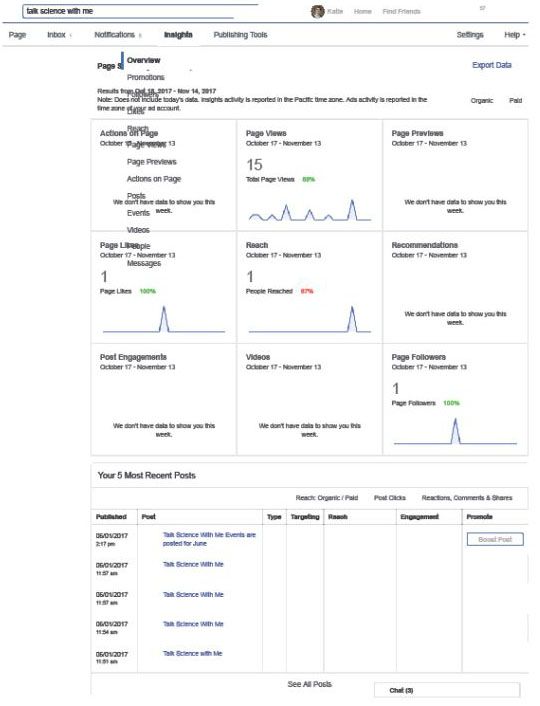
Credit: Screenshot from the “talk science with me” Facebook page, managed by Kathryn Stofer, UF/IFAS
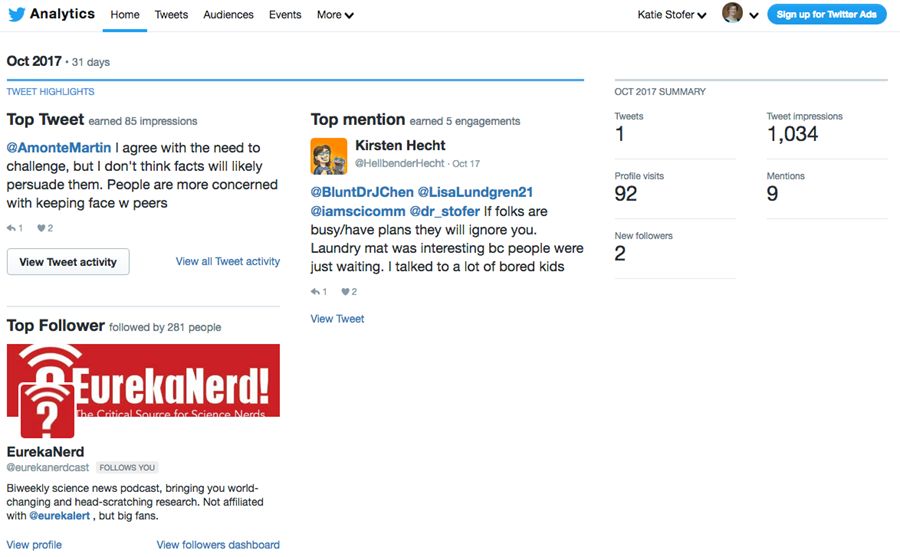
Credit: Screenshot from the @talksciwme Twitter/X account, managed by Kathryn Stofer, UF/IFAS
Risk Management Considerations
The UF Office of Risk Management’s Erin Brewer provided the following recommendations below for areas to consider when hosting a “talk science with me” style event. Some of them may be important reminders when preparing your researchers to participate. These are not policies but rather suggestions.
- Every participant attending an off-campus activity or conference on behalf of the University of Florida (UF) department is acting as a representative of UF. To that end, courtesy and respect for others must be demonstrated at all times. Mature, professional conduct is expected of everyone.
- All participants in the Off-Campus Activity are expected to comply with University policies, rules, and regulations.
- Participant awareness of personal safety while at any Community Engagement Event is essential.
- Develop thorough contingency and crisis response plans in case of emergencies.
- Communicate information to colleges/departments concerning, as applicable, scheduling, departure locations, time, and venue location of the Community Engagement Event.
- Transportation to and from the host sites is the responsibility of the participants. Participants are responsible for ensuring their transportation (whether provided by the host, themselves, or others) is safe and reliable.
- Participants who walk to host sites or take public transportation should take necessary precautions to ensure their health and safety.